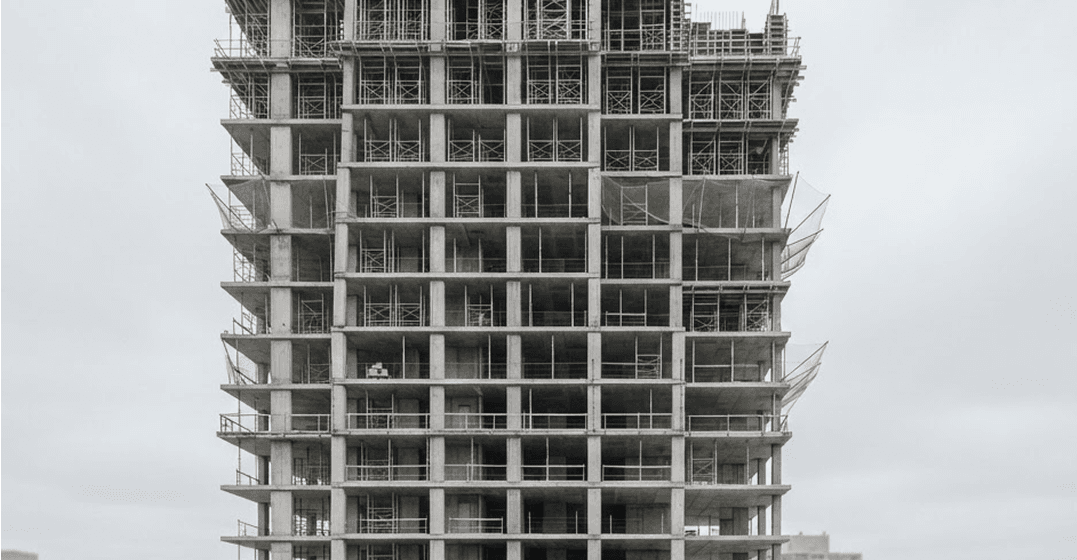
Level 04 · Grid C-F
14 photos · Today 08:42
Slab pour complete (Level 4)
Posted by Shalom Asenuga, Site Manager
The construction operating system for Africa
BuildPanda connects estimating, project management, site progress, inspections, milestones, and payments into one powerful construction operating system.
Backed by


The construction operating system for Africa
Every build already follows one continuous chain of decisions. BuildPanda models that chain end to end, so information entered once at enquiry is still working for you at handover.
The current way
Six places to look, none of which agree with each other, and no single answer to “where is this project actually at?”
Enquiry
Leads captured and qualified
Estimate
Takeoffs, rates, costing
Proposal
Issued, tracked, signed
Planning
Programme and budget set
Construction
Tasks, progress, documents
Inspections
Verified on site
Milestones
Approved for release
Payments
Certified and tracked
Handover
Complete record, closed out
The best way
Six places to look, none of which agree with each other, and no single answer to “where is this project actually at?”
Panda AI
Panda AI reads your architectural drawings the way a senior estimator would, then does in seconds what normally takes days of manual measurement.
Book a Demo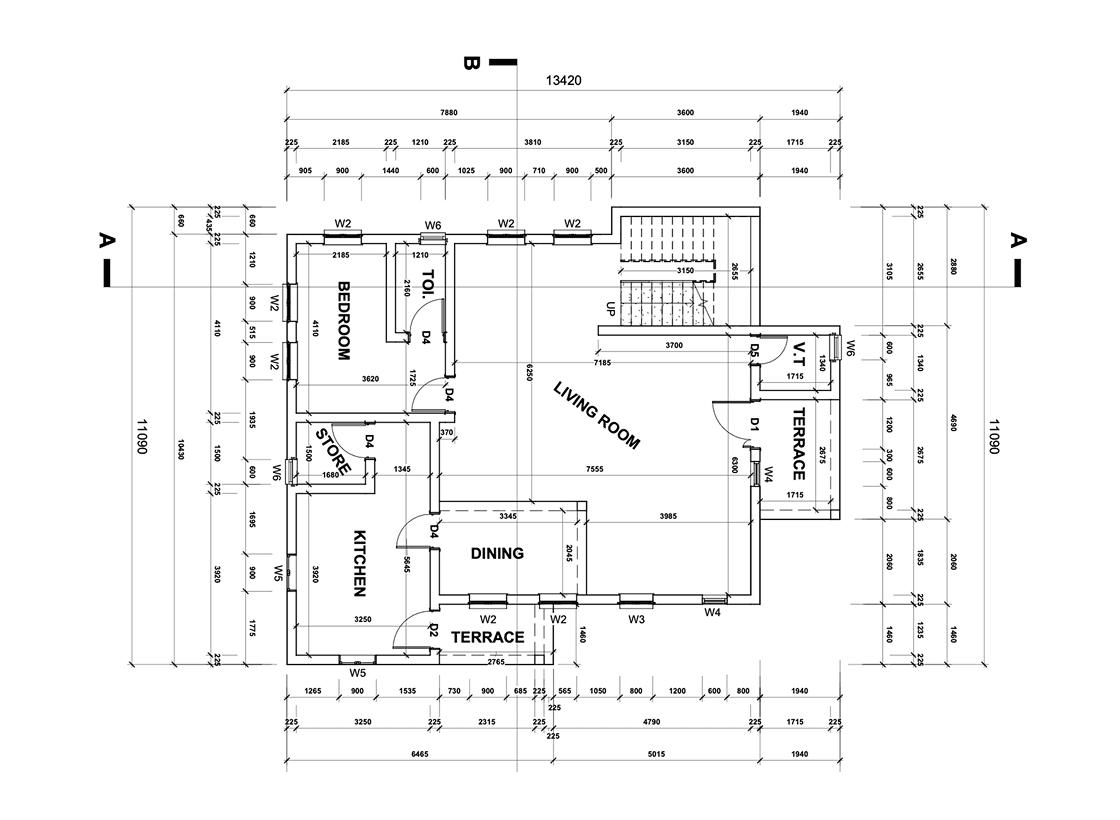
Generated takeoff sheet
214 items
| External wall — 215mm blockwork | 1,264.40m² |
|---|---|
| Internal partitions — metal stud | 918.20m² |
| Floor slab — RC 250mm | 842.00m² |
| Door openings — single leaf | 64nr |
| Window openings — type W3 | 38nr |
| Skirting — MDF 120mm | 1,412.60m |
| Wall | 0.23m |
| Windows | 4nr |
208 further items
Drop in an architectural PDF, DWG or scan. Sheets, revisions and scale are read automatically.
Walls, slabs, openings, finishes and fittings are identified, measured and classified against your rate library.
A full, itemised takeoff with quantities lands in your estimate, reviewable, editable, traceable to the drawing.
Site Construction
Progress reported from site becomes evidence: photographed, inspected and independently verified, so reported progress and real progress are the same number.
Daily updates from site, geotagged and time-stamped against the task they belong to.
Structured checklists per stage, with defects raised, assigned and closed out on the record.
A third-party inspector can confirm what was actually built before anyone signs off on it.
Level 04 · Grid C-F
14 photos · Today 08:42
Posted by Shalom Asenuga, Site Manager
INS-0421
Independently verified by Olaoluwa Glover, released to milestone
Run the project
Programme of work, budget, tasks, documents and milestones are all views of the same project record. Change one and the rest stay honest.
Break the build into stages, from substructure to finishes, and see which are done, under way or held up.
Bring everyone on the project into one place and set what each person can see, do and approve.
Track the budget, deposits, milestone releases and payments recorded against the project.
The programme as a chart: planned against actual, so slippage shows as soon as it starts.
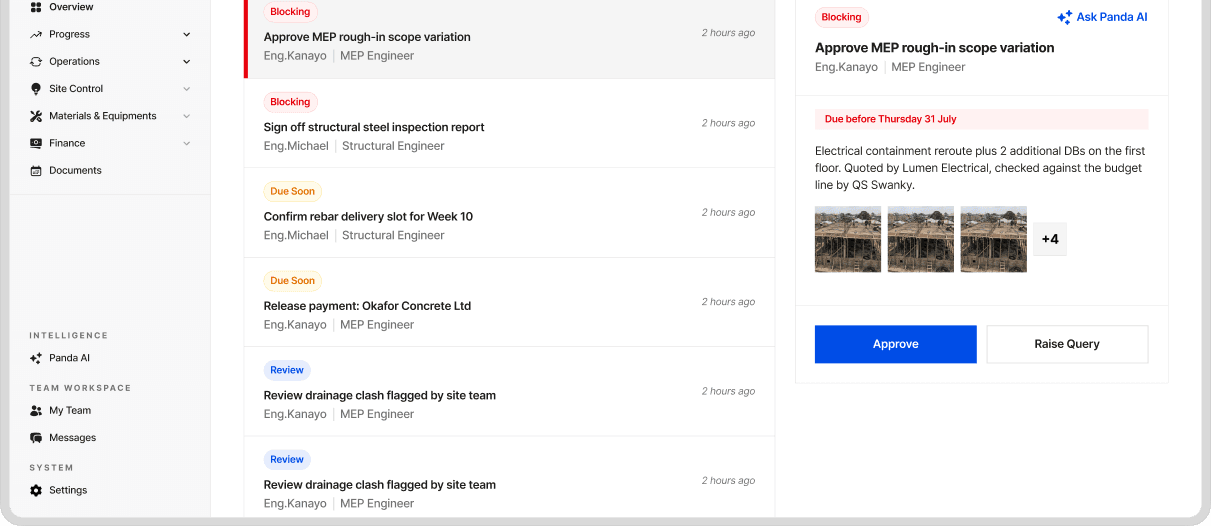
Variations, payments and inspections go to the right person to sign off, with every decision on the record.
Give every piece of work an owner and a due date, tied to the stage it belongs to.
Plan the next few weeks of work, labour and deliveries so the site is never left waiting.
Raise a question against a drawing, send it to the right consultant and keep the answer on the record.
Daily updates from site, geotagged and time-stamped against the task they belong to.
FAQ
What contractors and owners ask before they run a build on BuildPanda. Type your own question and, if it isn't here, send it to the team.
We are early, so there is no published price list: tell us about the job on the demo call and we will give you the number. Pricing is per project and scales with contract value, so a small job costs less than a large one. Inspections are quoted per visit. No implementation fee while we are early.
Both, and they are separate. Most people come for the software and run their own jobs on it. Some ask us to run the build instead, and then we scope it, appoint the trades and manage the site, reporting to you as we go. You are never signed up to one by buying the other.
Not the people building it. An inspection is a job BuildPanda is asked to do: one side of the contract requests it, BuildPanda assigns the inspector, and the inspector attends and issues the report with a pass or a fail and the findings behind it. The contractor being inspected can read that report and cannot change it — and that holds when the contractor is us.
No. We are not a bank and not an escrow agent, and we do not hold or transfer funds. We record what was certified, what was paid and what it was paid against. The money moves through your own bank.
The site app holds the day's work on the device and sends it when the signal comes back. Nothing is lost in the meantime.
Bring it in and price against it. Send us a sample and tell us the standard it is written in before you start, and we will confirm what we can read today rather than find out on your first job.
No. Keep the programme where it is and bring the dates in. Send us a sample of your export and we will tell you what comes through.
Ask for an export before you sign up and we will show you what comes out. Transactions come out as a spreadsheet file and the programme as a file your planning tool can open. Ask us about anything else and we will tell you straight what we can hand over today.